H86753-SENZWifi-img03

nVent RAYCHEM SENZ WIFI

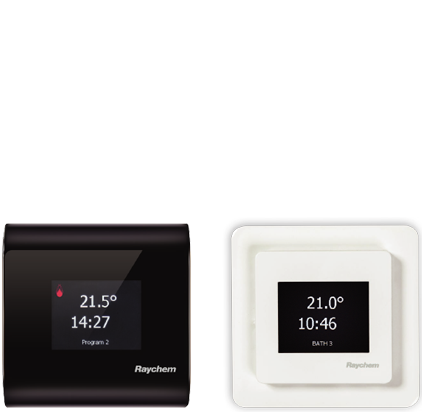
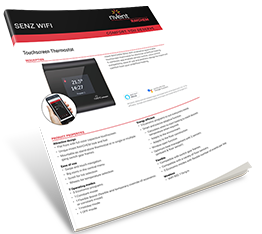
Thermostat: Floor heating for the smart home

The nVent RAYCHEM SENZ WIFI thermostat now works with popular home assistants and home automation systems: Amazon Alexa®, Google Assistant® as well as others.

This WIFI-enabled device also facilitates remote operation of any heating system via smartphone SENZ-WIFI app.

Welcome to the future of electrical floor heating!

DOWNLOAD MORE INFORMATION


Click Here for Sales Brochure

Click Here for Datasheet

SET UP YOUR SENZ WIFI WITH YOUR HOME AUTOMATION SYSTEM


img

Works with Alexa

Read more

img

Works with Google Assistant

Read more

img

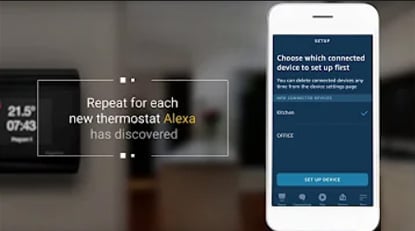
Alexa Skill Setup


SETUP AND SYSTEM REQUIREMENTS

Before proceeding, ensure you have the following:

  • The SENZ WIFI app downloaded and installed on your smartphone (download the SENZ WIFI app from App Store or Google Play)
  • An account setup in the SENZ WIFI app with your own username and password
  • At least one linked SENZ WIFI thermostat installed
  • Confirm that you can control the SENZ WIFI thermostat(s) via the SENZ WIFI app
  • Downloaded the Alexa app on your smartphone

Once you have completed the above setup requirements, follow the steps below to enable the Alexa Skill setup for the SENZ WIFI thermostat:

HOW TO ENABLE THE ALEXA SKILL SETUP FOR THE SENZ WIFI THERMOSTAT


go.nvent.com_SENZWIFI-voicecontrol.html(Desktop)
go.nvent.com_SENZWIFI-voicecontrol.html(Desktop) (1)
go.nvent.com_SENZWIFI-voicecontrol.html(Desktop) (2)
go.nvent.com_SENZWIFI-voicecontrol.html(Desktop) (3)
go.nvent.com_SENZWIFI-voicecontrol.html(Desktop) (4)
go.nvent.com_SENZWIFI-voicecontrol.html(Desktop) (5)
go.nvent.com_SENZWIFI-voicecontrol.html(Desktop) (6)
go.nvent.com_SENZWIFI-voicecontrol.html(Desktop) (7)
go.nvent.com_SENZWIFI-voicecontrol.html(Desktop) (8)
go.nvent.com_SENZWIFI-voicecontrol.html(Desktop) (9)
go.nvent.com_SENZWIFI-voicecontrol.html(Desktop) (10)

Google HOME Setup


H86753-google-home

SETUP AND SYSTEM REQUIREMENTS

Before proceeding, ensure you have the following:

  • The SENZ WIFI app downloaded and installed on your smartphone (download the SENZ WIFI app from App Store or Google Play)
  • An account setup in the SENZ WIFI app with your own username and password
  • At least one linked SENZ WIFI thermostat installed
  • Confirmed that you can control the SENZ WIFI thermostat(s) via the SENZ WIFI app
  • Downloaded the Google Home app on your smartphone

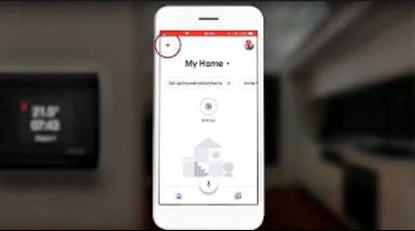
Once you have completed the above setup requirements, follow the steps below to enable the Google Assistant setup for the SENZ WIFI thermostat:

(NOTE - screenshots of the app may differ depending on the smartphone being used)

HOW TO ENABLE THE GOOGLE ASSISTANT SETUP FOR THE SENZ WIFI THERMOSTAT


google-assistant-1
google-assistant-2
google-assistant-3
google-assistant-4
google-assistant-5
google-assistant-6
google-assistant-7
google-assistant-8
google-assistant-9
google-assistant-10
google-assistant-11
google-assistant-12
google-assistant-13
google-assistant-14
google-assistant-15